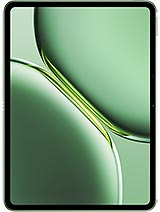
Apple iPad Air 13 2025 review
This suits creative professionals and power users who work in tablet apps and want a portable, all-day screen for design, video, or coding; skip it if you need phone-class camera reach, outdoor brightness, or speedy charging, or if your workflow lives in desktop-only software.

This review is written with AI assistance from Apple’s published specifications and public benchmark data for the Apple iPad Air 13 2025, and the rating is spec-based. GoSolo does not physically test devices; where we estimate real-world behaviour such as battery life or charge time, we say so. How we rate phones.
Overview
The iPad Air 13 is a working machine for creative professionals and power users: the M3 chip handles sustained creative tasks, the 13-inch screen gives real estate for design and video, and it stays alive all day. It is thin and light enough to live between a laptop and a phone, but the standard cameras, middling brightness, and softer glass mean it feels less durable than rivals at this price.
Design & Build
At 616 g and 6.1 mm thick, the iPad Air 13 is genuinely portable for a 13-inch device—lighter and slimmer than a MacBook Air. The aluminum frame and glass front sit in familiar Apple territory: clean, sturdy in hand, and utterly predictable. The catch is the Mohs 4 scratch-resistant glass, which is softer than the Gorilla Glass families you'll find on rival tablets and flagships. Over months of use, this accumulates micro-scratches and a faint haze in bright light. The aluminum also bends more readily than stainless, so a serious drop or roll will mark it. For a tablet at this price, you are trading some durability for thinness.
Display
The 13-inch Liquid Retina LCD is genuinely useful for work: the 2048 × 2732 resolution gives 264 ppi, crisp enough for text and images at normal viewing distance, and the 4:3 aspect ratio is a hold over from print, which matters if you spend time in design or layout apps. The 600-nit peak brightness handles well-lit offices and indoor environments; direct sunlight will still wash the image, a step behind OLED and high-brightness IPS rivals that hit 800+ nits. For video editing, design, or document work indoors, this is fine. For content creation outdoors or constant travel in harsh sunlight, you will notice the brightness limit.
Performance
The M3 and 9-core GPU, paired with 8GB of RAM, handle video editing, design apps, coding IDEs, and heavy multitasking without throttle or stutter. This is a genuine work tablet, not a media-consumption device masquerading as one. Sustained tasks—rendering video, exporting photos, compiling code—run at full speed without thermal drops. Against rivals, the M3 is a year behind the M4 flagships announced this season, but the real-world gap is narrow for most creative work. If you are rendering 4K timelines or working with massive design files all day, the M4 will finish a bit faster; for typical creative tasks, the M3 keeps pace.
Software
iPadOS 18 is stable and mature, with stage manager multitasking, app shelves, and keyboard shortcuts if you pair a trackpad. The OS feels built for tablets, not a laptop OS crammed onto one, which matters. App ecosystem is deep and tailored: Adobe Creative Suite, Final Cut Pro, Procreate, Affinity apps, and countless work tools. The upgrade path to iPadOS 26.4 means this will receive updates for years. One limitation: if you work primarily in desktop software (like Unreal Engine or Pro Tools in full desktop mode), you will feel the constraint of iPad's app ecosystem and sandboxing, though web apps and remote desktop fill some gaps.
Camera
A 12 MP wide rear camera with dual pixel autofocus and a 12 MP ultrawide front lens cover the basics: video calls, document scanning, casual video recording at 4K. The wide-angle rear camera handles landscapes and general recording; the 122° ultrawide front is excellent for group calls and white-board capture. Do not expect zoom reach or low-light prowess like a flagship phone. The dual pixel autofocus helps with video, but the single focal length limits versatility. For a tablet, this is competent; for a device at this price, it is adequate but not a strength.
Battery & Charging
The 9705 mAh battery supports roughly 10 to 12 hours of screen-on time in mixed use—email, browsing, light editing. Heavier work (video rendering, gaming) will trim this to 8 to 10 hours. This is a full workday for most people, meaning you charge every evening. The spec sheet does not list charging wattage; Apple typically delivers 20–25W USB-C power, which is slow by tablet standards today. Rivals at this tier offer 45W or faster, halving charge time. If you depend on a tablet to recover from zero quickly, this will frustrate.
Value & Verdict Context
At about 950 EUR, this occupies an odd middle ground: too expensive to be a casual media tablet, not quite enough camera or durability chops to replace a phone for content creators, but exactly right for someone who creates on the move and wants a real work screen between their phone and laptop. The M3 is proven and overkill for office work, but the right chip for design and video. The 13-inch size is the largest iPad Air has gone, and it lands in a real productivity sweet spot—larger than the 11-inch Air, smaller and lighter than a MacBook. Step up to an M4 MacBook Air at this price if you need a keyboard-first machine; stay here if you live in tablet apps and value screen real estate over processing power.
Verdict
This suits creative professionals and power users who work in tablet apps and want a portable, all-day screen for design, video, or coding; skip it if you need phone-class camera reach, outdoor brightness, or speedy charging, or if your workflow lives in desktop-only software.
- M3 and 9-core GPU handle sustained creative work (video, design, code) without throttle; real multitasking with 8GB RAM.
- 13-inch, 4:3 display is the largest iPad Air yet, giving genuine workspace for apps like Procreate, Final Cut Pro, and design tools.
- At 616 g and 6.1 mm, it is thin and light enough to carry daily between phone and laptop, still portable for travel.
- iPadOS 18 and app ecosystem (Adobe, Final Cut, Affinity, Procreate) are mature and tailored to tablet workflows.
- 600-nit brightness is fine indoors but dims noticeably in direct sunlight, a step behind modern tablet rivals.
- Mohs 4 scratch-resistant glass accumulates micro-scratches faster than Gorilla Glass; aluminum frame bends more easily than stainless.
- Charging speed is not listed and likely slow by today's standards; rivals offer 45W+, while Apple typically delivers 20–25W.
Apple iPad Air 13 2025 Key Specifications
The essentials at a glance. See the full spec sheet.
| Released | 2025, March 04 |
|---|---|
| Display | 13.0 inches, 519.3 cm2 (~86.1% screen-to-body ratio), Liquid Retina IPS LCD, 600 nits (typ) |
| Resolution | 2048 x 2732 pixels, 4:3 ratio (~264 ppi density) |
| Chipset | Apple M3 |
| RAM & storage | 128GB 8GB RAM, 256GB 8GB RAM, 512GB 8GB RAM, 1TB 8GB RAM |
| Main camera | 12 MP, f/1.8, (wide), 1/3.0", 1.22µm, dual pixel PDAF |
| Selfie camera | 12 MP, f/2.0, 122˚ (ultrawide) |
| Battery | 9705 mAh |
| Software | iPadOS 18.3.2, upgradable to iPadOS 26.4 |
| Dimensions | 280.6 x 214.9 x 6.1 mm (11.05 x 8.46 x 0.24 in) |
| Weight | 616 g (Wi-Fi) / 617 g (5G) (1.36 lb) |
| Build | Glass front, aluminum back, aluminum frame |
| Durability | Stylus support |
| Network | GSM / HSPA / LTE / 5G |
| NFC | No |
| USB | USB Type-C 3.1 Gen2, DisplayPort, magnetic connector |
Apple iPad Air 13 2025 FAQ
Common questions, answered from the spec sheet.
Does the iPad Air 13 2025 support 5G?
Yes. The iPad Air 13 2025 supports 5G networks.
What chipset does the iPad Air 13 2025 use?
The iPad Air 13 2025 runs on the Apple M3.
What display does the iPad Air 13 2025 have?
A 13.0 inches, 519.3 cm2 (~86.1% screen-to-body ratio) Liquid Retina IPS LCD, 600 nits (typ), 2048 x 2732 pixels, 4:3 ratio (~264 ppi density).
How big is the iPad Air 13 2025 battery?
The iPad Air 13 2025 has a 9705 mAh battery.
Does the iPad Air 13 2025 have NFC?
No, the iPad Air 13 2025 does not list NFC support.
Is the iPad Air 13 2025 water resistant?
The iPad Air 13 2025 carries a Stylus support rating.
Does the iPad Air 13 2025 support a microSD card?
No, the iPad Air 13 2025 does not support expandable storage.
Alternatives to consider
If the iPad Air 13 2025 isn’t quite right, these are the closest calls.
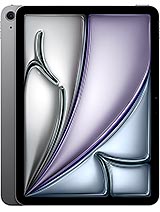
iPad Air 11 2025
![iPad Air 13 (7th generation) [2025] product photo](https://api.mobileapi.dev/devices/878/thumb.png)
iPad Air 13 (7th generation) [2025]
![iPad Air 11 (7th generation) [2025] product photo](https://api.mobileapi.dev/devices/880/thumb.png)
iPad Air 11 (7th generation) [2025]
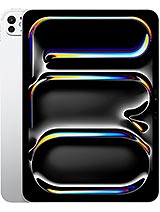
iPad Pro 11 2025
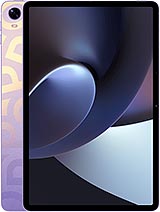
Pad 5