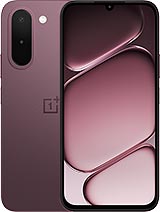
TCL NXTpaper 11 Gen 2 review
This suits students, academics, and professionals who live in documents, notes, and ebooks and can tolerate slow app interactions in exchange for weeks of battery life and eye-friendly reading. Anyone who wants smooth scrolling, responsive apps, or a do-everything tablet should look at a standard LCD option instead.
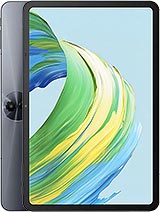
This review is written with AI assistance from TCL’s published specifications and public benchmark data for the TCL NXTpaper 11 Gen 2, and the rating is spec-based. GoSolo does not physically test devices; where we estimate real-world behaviour such as battery life or charge time, we say so. How we rate phones.
Overview
The TCL NXTpaper 11 Gen 2 is a 10.95-inch e-ink tablet built for reading, note-taking, and document work rather than app performance. At $230, it trades motion and responsiveness for weeks of battery life and eye-friendly reading, making it worthwhile if your workflow lives in PDFs, ebooks, and handwriting rather than games or heavy apps.
Design & Build
At 500 grams and 7.3 mm thick, the NXTpaper 11 Gen 2 feels light and slim in hand, closer to a thick paperback than a tablet. The glass front, aluminum frame, and aluminum back are solid without being overbuilt; this is a device meant for reading desks and bags, not rugged jobsites. IP54 dust and splash resistance is enough to survive coffee spills and a day in a dusty backpack, but not submersion. Stylus support is included, though the spec sheet doesn't name a bundled pen—you'll likely need to buy one separately. The overall feel is refined for a $230 tablet, which is rare in the budget space.
Display
The 10.95-inch NCVM e-ink screen is the NXTpaper's entire reason to exist, and it does its job well. At 500 nits peak brightness and 16.7 million colors, the display reads clearly in sunlight and indoors without the eye fatigue that comes from LCD backlighting during long reading sessions. The 1200 x 1920 resolution (207 ppi) is sharp enough for text and PDFs, though not photo-sharp. The real catch: this is e-ink, so refresh is capped at 60 Hz. Scrolling feels sluggish, typing is delayed, and swiping between pages has a noticeable lag. If your usage is mostly static—reading chapters, reviewing documents, writing notes—you won't care. If you expect smooth app interactions, an iPad or Android tablet will feel infinitely more responsive.
Performance
The MediaTek Helio G80 is entry-level for 2025. Its octa-core CPU and Mali-G52 GPU handle reading apps, PDFs, note-taking, and light web browsing without stutter. Heavy apps, multitasking, or games will struggle; expect lag, slow load times, and occasional crashes if you push it. For a device priced at $230 and designed for documents and ebooks, the performance ceiling is acceptable. You are not buying this to run demanding software. Think of it as a specialized tool: if that tool is 'my reading and writing device,' the processor is fine. If you want one tablet for everything, keep looking.
Software
Android 15 is current and gives you access to the Google Play Store, so apps are available. The lack of cellular connectivity (no SIM, no 4G) means you are tethered to Wi-Fi, which is fine for a device meant to sit on a desk or travel with you as a secondary screen. Wi-Fi 802.11ac dual-band is standard and should keep you connected at home and in coffee shops. One caveat: with only 6 GB RAM in the base model, multitasking is tight; the 8 GB option is worth the small upcharge if you plan to keep multiple reading and note apps open.
Camera
The 8 MP main sensor with f/2.0 aperture is functional for document scanning or quick reference photos, but don't expect good results in low light or high-contrast scenes. The 1/4.0" sensor and 1.12 µm pixels are small and slow, which limits detail and dynamic range. The 5 MP selfie camera is largely cosmetic. For a reading and note-taking tablet, cameras are a checkbox, not a strength. If photo quality matters to your workflow, this is not the device.
Battery & Charging
The 8000 mAh battery is the standout. On an e-ink display, which uses minimal power compared to LCD backlighting, the NXTpaper 11 Gen 2 easily stretches 10 to 14 days between charges with moderate use (a few hours of reading, note-taking, and browsing daily). The spec sheet lists 18W charging but no charge time; expect roughly 2 to 3 hours from empty. For a device built around long-term portability and minimal interruption, the battery is a genuine win over LCD tablets, which typically run out in 8 to 12 hours of heavy use.
Value & Verdict
At $229.99, the NXTpaper 11 Gen 2 is one of the cheapest large-screen tablets on the market. What you get for that money is a specialized, single-purpose device: a screen built for eyes, a processor sufficient for reading, and a battery that keeps you off the charger for weeks. It is not a laptop replacement, not a gaming device, and not a creation tool unless your creation is handwritten notes and annotations. If you read ebooks, work with PDFs, or take handwritten notes daily and can live with 60 Hz lag and weak cameras, the value is excellent. If you want a general-purpose tablet that can also read, you should spend more on an iPad or a 2024-era Android tablet with an LCD screen and a capable processor. This device wins decisively within its niche and loses everywhere else.
Verdict
This suits students, academics, and professionals who live in documents, notes, and ebooks and can tolerate slow app interactions in exchange for weeks of battery life and eye-friendly reading. Anyone who wants smooth scrolling, responsive apps, or a do-everything tablet should look at a standard LCD option instead.
- 8000 mAh battery stretches to roughly 10–14 days between charges on typical reading and note-taking use, a genuine advantage over LCD tablets
- E-ink display with 16.7 million colors and 500-nit brightness handles outdoor reading and sunlit rooms without backlight eye strain
- Thin (7.3 mm) and light (500 g) with stylus support, making it genuinely portable for students and professionals carrying it daily
- Dedicated microSD slot and Android 15 let you load hundreds of documents, ebooks, and PDFs without cloud dependency or storage anxiety
- 60Hz refresh and e-ink lag make scrolling, swiping, and text input noticeably slower and clunkier than any standard LCD tablet
- Entry-level MediaTek Helio G80 struggles with apps beyond reading and note-taking; anything demanding will stutter or timeout
- 8 MP camera is weak and mostly a checkbox—light rooms and low contrast kill photo quality quickly
TCL NXTpaper 11 Gen 2 Key Specifications
The essentials at a glance. See the full spec sheet.
| Released | 2025, September 04 |
|---|---|
| Display | 10.95 inches, 347.7 cm2 (~82.9% screen-to-body ratio), NCVM IPS, 500 nits (HBM) |
| Resolution | 1200 x 1920 pixels, 16:10 ratio (~207 ppi density) |
| Chipset | Mediatek Helio G80 (12 nm) |
| RAM & storage | 64GB 6GB RAM, 128GB 8GB RAM |
| Main camera | 8 MP, f/2.0, (wide), 1/4.0", 1.12µm, AF |
| Selfie camera | 5 MP |
| Battery | 8000 mAh |
| Software | Android 15 |
| Dimensions | 253.6 x 165.4 x 7.3 mm (9.98 x 6.51 x 0.29 in) |
| Weight | 500 g (1.10 lb) |
| Build | Glass front, aluminum frame, aluminum back |
| Durability | Stylus support IP54 dust protected and water resistant (water splashes) |
| Network | No cellular connectivity |
| NFC | No |
| USB | USB Type-C 2.0 |
TCL NXTpaper 11 Gen 2 FAQ
Common questions, answered from the spec sheet.
Does the NXTpaper 11 Gen 2 support 5G?
No. The NXTpaper 11 Gen 2 tops out at No cellular connectivity, without 5G.
What chipset does the NXTpaper 11 Gen 2 use?
The NXTpaper 11 Gen 2 runs on the Mediatek Helio G80 (12 nm).
What display does the NXTpaper 11 Gen 2 have?
A 10.95 inches, 347.7 cm2 (~82.9% screen-to-body ratio) NCVM IPS, 500 nits (HBM), 1200 x 1920 pixels, 16:10 ratio (~207 ppi density).
How big is the NXTpaper 11 Gen 2 battery?
The NXTpaper 11 Gen 2 has a 8000 mAh battery.
Does the NXTpaper 11 Gen 2 have NFC?
No, the NXTpaper 11 Gen 2 does not list NFC support.
Is the NXTpaper 11 Gen 2 water resistant?
The NXTpaper 11 Gen 2 carries a Stylus support IP54 dust protected and water resistant (water splashes) rating.
Does the NXTpaper 11 Gen 2 support a microSD card?
Yes, the NXTpaper 11 Gen 2 supports expandable storage (microSDXC (dedicated slot)).
Alternatives to consider
If the NXTpaper 11 Gen 2 isn’t quite right, these are the closest calls.
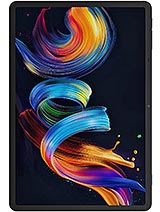
NXTpaper 11 Plus
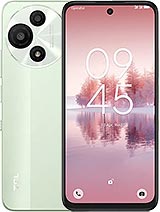
60 SE NXTpaper 5G
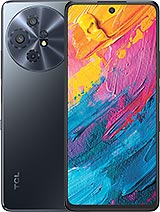
60 XE NXTpaper 5G
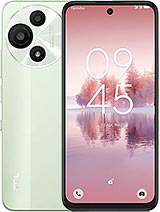
60 SE NxtPaper
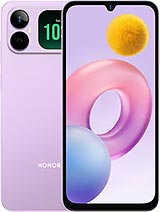
Play20A