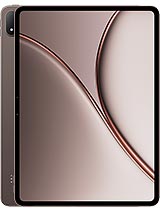
Oppo Pad 5 Pro review
This tablet suits someone buying a larger, stylus-capable second screen for work—note-taking, document editing, coding, or media consumption at a desk or on travel. If you're seeking an everyday media and entertainment device with comfortable single-handed use, look elsewhere; the weight and lack of cellular connectivity make it less versatile than it should be."
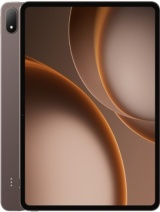
This review is written with AI assistance from Oppo’s published specifications and public benchmark data for the Oppo Pad 5 Pro, and the rating is spec-based. GoSolo does not physically test devices; where we estimate real-world behaviour such as battery life or charge time, we say so. How we rate phones.
Overview
The Oppo Pad 5 Pro is a 13.2-inch Android tablet built for productivity and media, with a sharp 2120×3000 LCD screen, Snapdragon 8 Elite Gen 5 horsepower, and excellent stylus and keyboard support—but it stumbles where it matters most for a tablet: the cameras are weak, charging speed isn't listed, and at 672g it's bulky for everyday carry.
Design & build
At 289.7 x 208.8 x 5.9mm and 672g, the Pad 5 Pro is a weighty slab—almost half a kilogram, making it less pocket-friendly than rivals and a genuine commitment to carry daily. The aluminum frame and back feel solid, and the 5.9mm thickness is respectable, but the weight puts it in the premium compact laptop tier rather than the convertible tablet sweet spot. For comparison, modern 13-inch iPad and Galaxy Tab S models sit around 600g, so this is noticeably heavier, which compounds over hours of handheld reading or note-taking. The build quality appears robust for desk work, but one-handed use or lap consumption will fatigue the wrist.
Display
The 13.2-inch LCD hits 2120×3000 pixels at 315ppi, which is sharp and well-suited to productivity: spreadsheets, documents, and comics render crisply. The 144Hz refresh rate is snappy for scrolling and stylus response, though an LCD at this size lacks the contrast punch of OLED rivals. Peak brightness reaches 1000 nits, enough for outdoor use, and the 87.6% screen-to-body ratio maximizes usable real estate without fat bezels. For a productivity tablet, this is genuinely strong: the resolution density and refresh rate elevate everyday use noticeably, and the brightness ensures legibility in bright light. It's a display that rewards actual work rather than just consuming media.
Performance
The Snapdragon 8 Elite Gen 5 is flagship-class silicon that will handle anything thrown at it—multitasking, split-screen work, graphics-heavy apps, and video editing pose no challenge. Paired with up to 16GB of RAM and UFS 4.1 storage, performance will remain snappy for years. The real limitation here isn't horsepower; it's that a large-screen Android tablet still lacks the app ecosystem and optimization depth of iPad, so raw chip performance translates less directly into a tangible difference in day-to-day fluency. You get tremendous computational ceiling that most users will never need, but at least you won't grow out of it.
Software
ColorOS 16 on Android 16 provides a clean, tablet-optimized interface, and Oppo's customization tends toward usability rather than bloat. For a 13-inch device, multi-window support and split-screen management are essential, and ColorOS handles them competently. Stylus integration is solid for note-taking and markup tasks, and keyboard support is baked in. The software story is workmanlike: no flagship flair, no major lag, and sufficient polish for a productivity tool. It's not as refined as iPadOS for tablet workflows, but it's honest and capable.
Camera
The 13MP main and 8MP selfie are clearly an afterthought on a productivity tablet, which is fair—most users won't shoot photo essays on a 13-inch screen. Specs max out at 4K 30fps on the rear and 1080p 30fps on the front, adequate for video calls and document scanning but nothing more. For a tablet at this price, cameras are rarely a primary draw, and Oppo hasn't bothered to pretend they are. If you need solid imaging, use your phone; if you need the tablet's camera as backup, it'll do the job. No surprises, no disappointments, just functional.
Battery & charging
The 13,380mAh battery is massive and should comfortably deliver 12–15 hours of mixed use—a strong point for a tablet meant for travel or all-day work. Charging speed is conspicuously missing from the spec sheet, a red flag for a 2026 tablet at this price. Without confirmed watts, it's unclear whether this will charge in 2 hours or 4, a meaningful difference for daily convenience. For context, rival 13-inch tablets typically offer 35–67W charging; Oppo's silence here is unusual and suggests the figure may not be competitive.
Value & verdict
At about 540 EUR, the Oppo Pad 5 Pro occupies a middle tier between budget Android tablets and flagship iPad/Galaxy Tab S models. The Snapdragon 8 Elite Gen 5, 144Hz display, and stylus support justify serious consideration for note-taking, document work, and media consumption. However, the 672g weight is a genuine friction point for casual use, the camera system is underdeveloped, and the missing charging speed spec raises questions about daily workflow. This is a tablet for someone buying a larger second screen for productivity, not a primary entertainment or media device. It's most at home as a desk companion or travel partner for work, where the horsepower and sharp display shine and the bulk matters less.
Verdict
This tablet suits someone buying a larger, stylus-capable second screen for work—note-taking, document editing, coding, or media consumption at a desk or on travel. If you're seeking an everyday media and entertainment device with comfortable single-handed use, look elsewhere; the weight and lack of cellular connectivity make it less versatile than it should be."
- Sharp 2120×3000 LCD with 144Hz refresh and strong brightness—excellent for reading, documents, and stylus work
- Snapdragon 8 Elite Gen 5 with up to 16GB RAM delivers overkill performance that won't age poorly for years
- Solid stylus and keyboard support, built into the OS and hardware ecosystem
- 13,380mAh battery easily lasts a full day of mixed use without hunting for a charger
- 672g is noticeably heavier than similarly-sized rivals, making one-handed use and lap work fatiguing
- Charging speed is unspecified—a major omission for a 2026 tablet, likely hiding a weakness
- Cameras are token at best (13MP and 8MP), not a deal-breaker for a productivity tablet but undercooked for the price
Oppo Pad 5 Pro Key Specifications
The essentials at a glance. See the full spec sheet.
| Released | 2026, April 21 |
|---|---|
| Display | 13.2 inches, 530.0 cm2 (~87.6% screen-to-body ratio), LCD, 144Hz, 700 nits (typ), 1000 nits (peak) |
| Resolution | 2120 x 3000 pixels (~315 ppi density) |
| Chipset | Qualcomm SM8850-AC Snapdragon 8 Elite Gen 5 (3 nm) |
| RAM & storage | 256GB 8GB RAM, 256GB 12GB RAM, 512GB 12GB RAM, 512GB 16GB RAM |
| Main camera | 13 MP |
| Selfie camera | 8 MP |
| Battery | 13380 mAh |
| Software | Android 16, ColorOS 16 |
| Dimensions | 289.7 x 208.8 x 5.9 mm (11.41 x 8.22 x 0.23 in) |
| Weight | 672 g (1.48 lb) |
| Build | Aluminum frame, aluminum back |
| Durability | Stylus support Keyboard support |
| Network | No cellular connectivity |
| NFC | No |
| USB | USB Type-C 3.2, OTG |
Oppo Pad 5 Pro FAQ
Common questions, answered from the spec sheet.
Does the Pad 5 Pro support 5G?
No. The Pad 5 Pro tops out at No cellular connectivity, without 5G.
What chipset does the Pad 5 Pro use?
The Pad 5 Pro runs on the Qualcomm SM8850-AC Snapdragon 8 Elite Gen 5 (3 nm).
What display does the Pad 5 Pro have?
A 13.2 inches, 530.0 cm2 (~87.6% screen-to-body ratio) LCD, 144Hz, 700 nits (typ), 1000 nits (peak), 2120 x 3000 pixels (~315 ppi density).
How big is the Pad 5 Pro battery?
The Pad 5 Pro has a 13380 mAh battery.
Does the Pad 5 Pro have NFC?
No, the Pad 5 Pro does not list NFC support.
Is the Pad 5 Pro water resistant?
The Pad 5 Pro carries a Stylus support Keyboard support rating.
Does the Pad 5 Pro support a microSD card?
No, the Pad 5 Pro does not support expandable storage.
Alternatives to consider
If the Pad 5 Pro isn’t quite right, these are the closest calls.
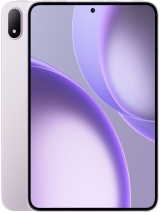
Pad Mini
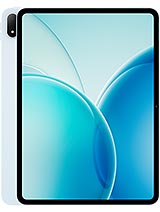
Pad 6
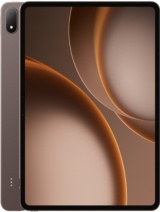
Pad 4 Pro
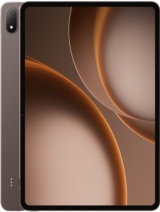
Pad 3 Pro
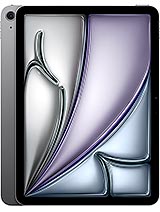
iPad Air 11 2026