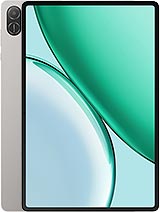
Motorola Moto Pad 60 Neo review
This tablet suits someone who primarily reads, watches video, and browses on a large screen without wanting to spend much or carry bulk. Skip it if you plan to game, edit, or need fast charging for on-the-go use.
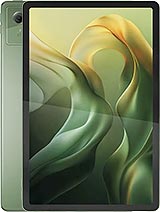
This review is written with AI assistance from Motorola’s published specifications and public benchmark data for the Motorola Moto Pad 60 Neo, and the rating is spec-based. GoSolo does not physically test devices; where we estimate real-world behaviour such as battery life or charge time, we say so. How we rate phones.
Overview
The Moto Pad 60 Neo is a competent budget 11-inch tablet for reading, video, and light work, with a slim build and respectable screen, but held back by weak cameras, slow charging, and a dated mid-range chipset that won't handle demanding tasks. At €170, it's a sensible choice for content consumption rather than productivity or play.
Design & build
At 7mm thick and 480g, the Moto Pad 60 Neo is genuinely portable for an 11-inch tablet. The glass front with aluminum frame and back feel solid without being heavy; you can hold it one-handed for short stretches without fatigue. Motorola has kept it simple—no fussy curves or unnecessary weight—which works well for a travel or casual-reading device. The splash resistance is a nice touch for devices that live in bags and around kitchens. For the price, the build doesn't feel cheap, and the bronze-green color is a refreshing break from the usual gray and silver.
Display
The 11-inch, 1600×2560 IPS LCD is the standout here. At 274 ppi, it's sharp enough to read small text without squinting, and the 16:10 ratio suits ebooks and documents better than wider screens. The 90Hz refresh keeps scrolling smooth when you're flicking through articles or web pages, and 500 nits of brightness works well indoors and in moderate sunlight, though direct sun will still wash it out a bit. It's not a high-refresh gaming display, and the color accuracy won't satisfy a photographer, but for a tablet at this price that's about reading and video, it's competitive. You're not paying for OLED or 120Hz, and it doesn't need them.
Performance
The Dimensity 6300 is a mainstream mid-range chip—fine for Android 15, email, messaging, browsing, and streaming video. Apps open without excessive lag, and daily tasks run smoothly. Gaming is where the Mali-G57 GPU falls short: expect stutter on modern games at any high setting, and any 3D-heavy work will leave you waiting. If your tablet life is Netflix, web, and apps, you won't notice the limits. If you're considering this for gaming or video editing, look elsewhere. The 8GB RAM and UFS 2.2 storage are adequate for the job, and the microSDXC slot lets you expand if you hoard video.
Software
Android 15 is current, and Motorola's interface is clean and minimal—no bloatware overload. That said, budget Motorola tablets don't get the longest software update windows, so don't expect five years of major OS bumps. For a €170 tablet, the software story is straightforward: you get Android as Google intended, no reskins, which is a plus in a market where some makers layer on heavy customizations. Security patches are the real variable; budget devices often lag behind flagships.
Camera
The 8MP main and 5MP front cameras are basic. They'll grab snapshots and work for video calls, but don't expect sharp detail, rich color, or any low-light magic. The LED flash helps indoors but won't substitute for a real camera. Tablets this cheap rarely nail the camera, and Motorola hasn't tried; they're assuming you have a phone for serious photography. Treat them as a fallback, not a feature.
Battery & charging
The 7040 mAh battery translates to about 10–12 hours of mixed use—solid for a day of reading, watching, and light browsing without a recharge. Where it stumbles is charging speed: 20W wired means 2.5–3.5 hours from empty, which is fine for overnight but not for grabbing a quick 30-minute top-up between sessions. You'll want to plan ahead rather than charge on demand. USB Type-C 2.0 limits file-transfer speeds to about 480 Mbps, which is slow by modern standards, but for a tablet you're mostly syncing over Wi-Fi anyway.
Value & verdict-context
At €170, the Moto Pad 60 Neo sits at the budget end of the 11-inch tablet market. For that price, it doesn't claim to be a productivity powerhouse or gaming machine. It's honest about what it does: offer a large, thin screen with decent brightness for reading, video, and light work. Rivals in the €150–200 range exist, but most either compromise on screen size, switch to budget processors from last year, or cut features like the headphone jack and stereo speakers. The 5G radio is mostly future-proofing and will depend on your region's rollout. The real question is whether you value a slim design and good-enough display over raw performance. If you do, this tablet fits the bill. If you need speed or a camera that matters, a better mid-range tablet or a phone will serve you better.
Verdict
This tablet suits someone who primarily reads, watches video, and browses on a large screen without wanting to spend much or carry bulk. Skip it if you plan to game, edit, or need fast charging for on-the-go use.
- 11-inch 90Hz IPS display with solid brightness (500 nits) and 274 ppi sharpness—good enough for reading and work without the typical budget-tablet blurriness
- Slim aluminum-and-glass build at just 7mm thick and 480g, easier to hold and carry than many tablets in its class
- 7040 mAh battery delivers a full day of mixed use (reading, browsing, video) without recharging
- Includes 3.5mm jack and dual stereo speakers with Dolby Atmos, rare perks at this price
- 20W charging takes 2.5–3.5 hours from empty—plan for overnight top-ups rather than quick top-ups
- Dimensity 6300 with Mali-G57 GPU struggles with any demanding 3D games or creative apps; performance is basic-task only
- 8MP and 5MP cameras are strictly functional; expect soft detail and poor low-light performance, making this a read-and-watch tablet, not a content creator's tool
Motorola Moto Pad 60 Neo Key Specifications
The essentials at a glance. See the full spec sheet.
| Released | 2025, September 12 |
|---|---|
| Display | 11.0 inches, 350.9 cm2 (~82.9% screen-to-body ratio), IPS LCD, 90Hz, 500 nits |
| Resolution | 1600 x 2560 pixels, 16:10 ratio (~274 ppi density) |
| Chipset | Mediatek Dimensity 6300 (6 nm) |
| RAM & storage | 128GB 8GB RAM |
| Main camera | 8 MP, (wide) |
| Selfie camera | 5 MP |
| Battery | 7040 mAh |
| Charging | 20W wired |
| Software | Android 15 |
| Dimensions | 254.6 x 166.2 x 7 mm (10.02 x 6.54 x 0.28 in) |
| Weight | 480 g (1.06 lb) |
| Build | Glass front, aluminum frame, aluminum back |
| Durability | Stylus support Splash resistant |
| Network | GSM / HSPA / LTE / 5G |
| NFC | No |
| USB | USB Type-C 2.0 |
Motorola Moto Pad 60 Neo FAQ
Common questions, answered from the spec sheet.
Does the Moto Pad 60 Neo support 5G?
Yes. The Moto Pad 60 Neo supports 5G networks.
What chipset does the Moto Pad 60 Neo use?
The Moto Pad 60 Neo runs on the Mediatek Dimensity 6300 (6 nm).
What display does the Moto Pad 60 Neo have?
A 11.0 inches, 350.9 cm2 (~82.9% screen-to-body ratio) IPS LCD, 90Hz, 500 nits, 1600 x 2560 pixels, 16:10 ratio (~274 ppi density).
How big is the Moto Pad 60 Neo battery?
The Moto Pad 60 Neo has a 7040 mAh battery. Charging is rated at 20W wired.
Does the Moto Pad 60 Neo have NFC?
No, the Moto Pad 60 Neo does not list NFC support.
Is the Moto Pad 60 Neo water resistant?
The Moto Pad 60 Neo carries a Stylus support Splash resistant rating.
Does the Moto Pad 60 Neo support a microSD card?
Yes, the Moto Pad 60 Neo supports expandable storage (microSDXC).
Does the Moto Pad 60 Neo have a headphone jack?
Yes, the Moto Pad 60 Neo has a 3.5mm headphone jack.
Alternatives to consider
If the Moto Pad 60 Neo isn’t quite right, these are the closest calls.
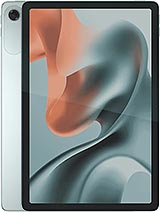
Moto Pad 60 Lite
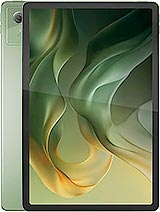
Moto Pad (2026)
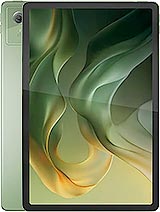
Pad 5
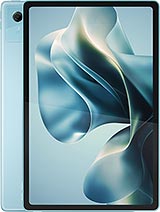
Moto Pad 70

Black Shark Pad SE