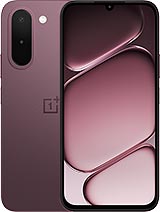
Infinix Xpad 30 Pro review
This tablet suits someone who wants a large, light device for reading, notes, and streaming without paying flagship prices, and who works mostly indoors where brightness isn't an issue. If you need snappy performance, outdoor visibility, or fast charging, look at rivals that cost marginally more but offer the Helio G80 or better, and 600+ nits brightness."
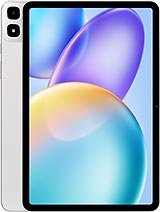
This review is written with AI assistance from Infinix’s published specifications and public benchmark data for the Infinix Xpad 30 Pro, and the rating is spec-based. GoSolo does not physically test devices; where we estimate real-world behaviour such as battery life or charge time, we say so. How we rate phones.
Overview
The Xpad 30 Pro is a midrange 11-inch tablet that feels light and thin for its size, but pairs a weak chipset and dim display with surprisingly capable cameras for a device at this price. It's honest value for someone who needs a large, portable screen and can live without demanding performance.
Design & build
At 476 grams and 6.6mm thick, the Xpad 30 Pro is genuinely light for an 11-inch tablet. The aluminum frame and glass front give it a solid feel, and it won't fatigue your wrist during extended reading or note-taking sessions. Stylus support and dust/splash resistance are real features that justify the build quality—you're not buying something you'll baby. The 83.4% screen-to-body ratio is practical, not excessive, and the 254mm width is narrower than it sounds, making one-handed grip possible if you don't mind committing to it. For a device at this price point launched in late 2026, the industrial design reads as sensible rather than showy, which is exactly what a productivity tablet should aim for.
Display
The 11-inch TFT LCD runs at 90Hz and hits 274 ppi at 1600×2560 pixels, which is sharp enough for text and fine detail work. The 16:10 aspect ratio is a smart choice for a tablet—wider than a phone, tall enough to show meaningful amounts of content without scrolling. The real limitation is brightness: 500 nits is acceptable indoors but dims noticeably in bright sunlight or a well-lit office, where rivals now routinely hit 600 nits or higher. For someone working mostly indoors or in shade, it's fine. For outdoor use or side-by-side comparison shopping, you'll notice the gap. The Panda MN228 protection is adequate for accidental drops.
Performance
The Helio G200 Ultimate is a six-nanometer chip that lands squarely in the midrange. It will handle apps, browsing, video, and light productivity work without drama, but demanding games and heavy image editing will expose its limits. The Mali-G57 GPU is modest; you're not getting console-level gaming or real-time 3D work here. Pairing a 2.2GHz dual-core performance cluster with six efficiency cores is a reasonable formula for battery life, but it means this tablet won't feel snappy when you're juggling ten browser tabs or opening large files. For its price and year, it's honest performance—solid enough for what most people use a tablet for, but noticeably behind devices that cost just a bit more.
Software
Android 16 with XOS 16.3 (Infinix's skin) launches fresh for 2026. XOS is typically light-touch, so you should see minimal bloat and reasonably quick software updates. Android 16 itself brings the latest system features, and a dedicated microSD slot means you're not forced to rely on cloud storage or accept a cramped experience. The OS will be stable enough for work and media consumption, though don't expect the kind of customization or developer depth you get from pure Android or Samsung's One UI.
Camera
An 8MP rear camera with autofocus and 1440p video is modest on paper but actually above what most tablets at this price deliver. The LED flash and panorama mode suggest Infinix didn't treat the camera as an afterthought. In practice, 8MP will produce usable stills for casual photos and document scanning—the latter a genuine use case for a productivity tablet. The front-facing 8MP camera is fine for video calls. By 2026 tablet standards, where 12MP has become common even in the budget tiers, this feels slightly behind the curve, but it's not a dealbreaker if your tablet use is light or secondary.
Battery & charging
The 8200mAh battery should deliver about 12 to 14 hours of mixed use on a charge, or two full days of lighter work—realistic for a large display and modest chipset. The spec sheet lists 18W charging, which is slow by 2026 standards; most rivals in this space now offer 30W or faster. That means you're looking at roughly 2 to 2.5 hours for a full charge, which is workable but not quick if you need the tablet ready for travel. The dedicated microSD slot is a genuine advantage, letting you expand storage without eating into internal space or sacrificing performance.
Value & verdict
The Xpad 30 Pro occupies an honest middle ground: it's not a budget tablet that cuts corners everywhere, and it's not a premium device pretending to be one. The camera is genuinely surprising for the price, the build is practical and light, and the 16:10 display aspect ratio is better suited to work than the squarer tablets that dominate the market. Where it stumbles is brightness (500 nits is dim for daylight use), processing power (the Helio G200 Ultimate will lag under load), and charging speed (18W is slow). If you spend most of your time reading, writing, and watching video indoors, this tablet makes sense. If you're buying a primary device for gaming or outdoor work, you'll feel the limitations quickly.
Verdict
This tablet suits someone who wants a large, light device for reading, notes, and streaming without paying flagship prices, and who works mostly indoors where brightness isn't an issue. If you need snappy performance, outdoor visibility, or fast charging, look at rivals that cost marginally more but offer the Helio G80 or better, and 600+ nits brightness."
- 8MP camera with autofocus and 1440p video is above what most tablets this price deliver; the rear shooter actually has substance
- Thin (6.6mm) and light (476g) enough to handle one-handed for an 11-inch tablet, with genuine stylus support and dust/splash resistance
- 8200mAh battery should push two full days of light use; dedicated microSD slot lets you expand storage without trade-offs
- 90Hz TFT LCD and dual-band Wi-Fi are standard for 2026, but the 16:10 aspect ratio actually suits reading and productivity work over squarish competitors
- Helio G200 Ultimate is a modest mid-range chip; gaming and heavy multitasking will feel sluggish compared to what rivals at this price offer
- 500 nits on an 11-inch TFT is dim for outdoor use and office work—rivals in this space typically hit 600+ nits
- 8MP resolution feels nostalgic for 2026; 12MP or higher is now standard for tablets in this category
Infinix Xpad 30 Pro Key Specifications
The essentials at a glance. See the full spec sheet.
| Released | 2026, September 07 |
|---|---|
| Display | 11.0 inches, 350.9 cm2 (~83.4% screen-to-body ratio), TFT LCD, 90Hz, 500 nits |
| Resolution | 1600 x 2560 pixels, 16:10 ratio (~274 ppi density) |
| Chipset | Mediatek Helio G200 Ultimate (6 nm) |
| RAM & storage | 128GB 4GB RAM, 128GB 6GB RAM, 128GB 8GB RAM, 256GB 8GB RAM |
| Main camera | 8 MP, f/2.0, AF |
| Selfie camera | 8 MP, f/2.0 |
| Battery | 8200 mAh |
| Software | Android 16, XOS 16.3 |
| Dimensions | 254 x 165.6 x 6.6 mm (10.0 x 6.52 x 0.26 in) |
| Weight | 476 g (1.05 lb) |
| Build | Glass front, aluminum frame, aluminum back |
| Durability | Stylus support Dust protected and splash resistant |
| Network | GSM / HSPA / LTE |
| NFC | No |
| USB | USB Type-C 2.0, OTG |
Infinix Xpad 30 Pro FAQ
Common questions, answered from the spec sheet.
Does the Xpad 30 Pro support 5G?
No. The Xpad 30 Pro tops out at GSM / HSPA / LTE, without 5G.
What chipset does the Xpad 30 Pro use?
The Xpad 30 Pro runs on the Mediatek Helio G200 Ultimate (6 nm).
What display does the Xpad 30 Pro have?
A 11.0 inches, 350.9 cm2 (~83.4% screen-to-body ratio) TFT LCD, 90Hz, 500 nits, 1600 x 2560 pixels, 16:10 ratio (~274 ppi density).
How big is the Xpad 30 Pro battery?
The Xpad 30 Pro has a 8200 mAh battery.
Does the Xpad 30 Pro have NFC?
No, the Xpad 30 Pro does not list NFC support.
Is the Xpad 30 Pro water resistant?
The Xpad 30 Pro carries a Stylus support Dust protected and splash resistant rating.
Does the Xpad 30 Pro support a microSD card?
Yes, the Xpad 30 Pro supports expandable storage (microSDXC (dedicated slot)).
Alternatives to consider
If the Xpad 30 Pro isn’t quite right, these are the closest calls.
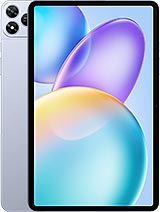
Xpad 20 Pro
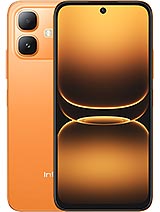
Smart 20
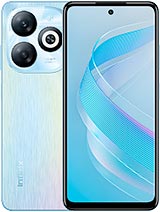
Smart 8 Pro
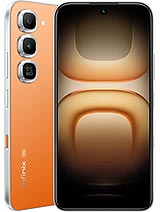
Hot 70 Pro
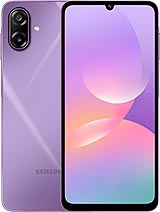
Galaxy M17e