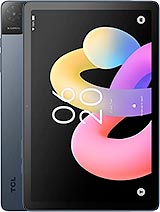
Huawei MatePad Air Z Enjoy review
This tablet suits media consumption, note-taking, and light productivity work in markets where HarmonyOS is familiar and Wi-Fi-only use is acceptable. Anyone seeking strong performance, 4K video, or seamless Google integration should look at iPad Air or Samsung equivalents instead.
This review is written with AI assistance from Huawei’s published specifications and public benchmark data for the Huawei MatePad Air Z Enjoy, and the rating is spec-based. GoSolo does not physically test devices; where we estimate real-world behaviour such as battery life or charge time, we say so. How we rate phones.
Overview
The MatePad Air Z Enjoy is a thin, light 12-inch tablet for media and light work at a competitive price, held back by an aging Kirin chipset and 1080p cameras that feel underbaked for a 2026 release. It is worth considering if the 144Hz display and stylus support align with your workflow, but the performance gap versus rivals is real.
Design & Build
At 5.9 mm thick and 555 grams, the MatePad Air Z is genuinely light and pocketable for a 12-inch tablet. The glass front, aluminum frame, and aluminum back give it a solid feel without the heft of heavier rivals. The form factor sits in that sweet spot between portability and screen real estate, and stylus support is a practical addition for note-taking or sketch work. That said, no cellular option means this is Wi-Fi only, which is a limiting choice in 2026 when many users expect at least the option of an LTE or 5G model for the price.
Display
The 12-inch IPS LCD is the main draw here. A 144Hz refresh rate is refreshing (literally) on a tablet at this price, and the 3:2 aspect ratio is more useful for productivity and reading than the 16:10 found on many rivals. Brightness at 900 nits is adequate for outdoor use, and HDR Vivid support adds some visual punch for video. At 279 ppi and 2800 x 1840 pixels, the pixel density is fine, though the panel is LCD rather than AMOLED. For sketching or document work, the smooth high refresh rate and practical proportions make a real difference; for streaming or casual use, the display is more than capable.
Performance
The Kirin T93SD or T93S is the weak link. These are mid-range processors, and in 2026 they feel outpaced by the current generation of iPad Air, Samsung Galaxy Tab S, and even Xiaomi's flagship tablets. App launches, multitasking, and light gaming will work, but do not expect the snappy responsiveness of a current-gen Snapdragon or Apple silicon. If you are drawing, note-taking, or browsing, the gap matters less; if you are demanding more, look elsewhere. The 8 GB or 12 GB RAM configs help offset some of the chipset lag, but they cannot erase the fundamental performance gap.
Software & Features
HarmonyOS 7.0 is Huawei's proprietary OS, which means no Google Play Store out of the box and a smaller app ecosystem compared to Android or iPadOS. For Chinese users or those already in the Huawei ecosystem, this is less of a barrier; for everyone else, it is a friction point. The AppGallery exists and is improving, but the software experience is narrower. Bluetooth 6.0 is current, and Wi-Fi 6/7 dual-band support is solid, but the lack of GPS, NFC, or cellular means this tablet is strictly a tethered device for anything beyond local Wi-Fi.
Camera
The cameras are surprisingly underdeveloped for a 2026 tablet. The 50 MP rear camera is respectable on paper, but capped at 1080p video is a real disappointment; rivals at this price routinely shoot 4K or higher. The 8 MP front is ordinary. If you are using this tablet to document work, shoot video, or anything more ambitious than casual photos, the camera system will feel like an afterthought. For a device at 370 EUR, more video performance should be expected.
Battery & Charging
A 10,100 mAh battery on a light, efficient tablet should deliver solid all-day use, likely 12 to 14 hours of mixed work depending on display brightness and workload. The spec sheet does not detail charging wattage, which is a gap; standard quick charging would be expected at this price in 2026. USB Type-C and OTG support are baseline, and the magnetic accessory connector is a nice touch for a stylus dock or case ecosystem. Real-world charging speed and actual battery longevity will depend on factors not provided here, but the capacity is reasonable.
Value & Verdict
At around 370 EUR, the MatePad Air Z Enjoy occupies an awkward middle ground. The 144Hz 3:2 display and stylus support appeal to productivity users, and the thin, light design is genuine value. But the Kirin chipset is aging, the camera system is weak, and the lack of cellular connectivity and Google Play integration narrow the audience. If you are in the Huawei ecosystem or need a media tablet with low weight and smooth scrolling, it makes sense. If you are cross-shopping iPad Air or Galaxy Tab S models, the performance and software gaps become harder to ignore.
Verdict
This tablet suits media consumption, note-taking, and light productivity work in markets where HarmonyOS is familiar and Wi-Fi-only use is acceptable. Anyone seeking strong performance, 4K video, or seamless Google integration should look at iPad Air or Samsung equivalents instead.
- 144Hz IPS LCD display with good brightness (900 nits) and 3:2 aspect ratio, practical for productivity
- Slim (5.9 mm) and light (555 g) for a 12-inch tablet; easy to carry and hold for extended reading or drawing
- Stylus support and reasonable price for the screen size and Wi-Fi 6/7 connectivity
- Aluminum and glass construction feels solid without excess weight
- Kirin T93SD/T93S is a mid-range processor from an older generation; expect slower app load times and gaming performance than current iPad Air or Tab S9 rivals
- Camera system is weak for 2026: 50 MP rear, 8 MP front, and both capped at 1080p video, which feels overlooked on a slate this price
- No cellular option limits use cases for professionals who need connectivity beyond Wi-Fi
Huawei MatePad Air Z Enjoy Key Specifications
The essentials at a glance. See the full spec sheet.
| Released | 2026, September 30 |
|---|---|
| Display | 12.0 inches, 426.4 cm2 (~85.9% screen-to-body ratio), IPS LCD, 144Hz, HDR Vivid, 900 nits |
| Resolution | 2800 x 1840 pixels, 3:2 ratio (~279 ppi density) |
| Chipset | Kirin T93SD or Kirin T93S |
| RAM & storage | 128GB 8GB RAM, 256GB 8GB RAM, 256GB 12GB RAM |
| Main camera | 50 MP, f/1.8, (wide), PDAF |
| Selfie camera | 8 MP, f/2.2 |
| Battery | 10100 mAh |
| Software | HarmonyOS 7.0 |
| Dimensions | 183.6 x 270.5 x 5.9 mm (7.23 x 10.65 x 0.23 in) |
| Weight | 555 g (1.22 lb) |
| Build | Glass front, aluminum frame, aluminum back |
| Durability | Stylus support |
| Network | No cellular connectivity |
| NFC | No |
| USB | USB Type-C 2.0, OTG, magnetic accessory connector |
Huawei MatePad Air Z Enjoy FAQ
Common questions, answered from the spec sheet.
Does the MatePad Air Z Enjoy support 5G?
No. The MatePad Air Z Enjoy tops out at No cellular connectivity, without 5G.
What chipset does the MatePad Air Z Enjoy use?
The MatePad Air Z Enjoy runs on the Kirin T93SD or Kirin T93S.
What display does the MatePad Air Z Enjoy have?
A 12.0 inches, 426.4 cm2 (~85.9% screen-to-body ratio) IPS LCD, 144Hz, HDR Vivid, 900 nits, 2800 x 1840 pixels, 3:2 ratio (~279 ppi density).
How big is the MatePad Air Z Enjoy battery?
The MatePad Air Z Enjoy has a 10100 mAh battery.
Does the MatePad Air Z Enjoy have NFC?
No, the MatePad Air Z Enjoy does not list NFC support.
Is the MatePad Air Z Enjoy water resistant?
The MatePad Air Z Enjoy carries a Stylus support rating.
Does the MatePad Air Z Enjoy support a microSD card?
No, the MatePad Air Z Enjoy does not support expandable storage.
Alternatives to consider
If the MatePad Air Z Enjoy isn’t quite right, these are the closest calls.
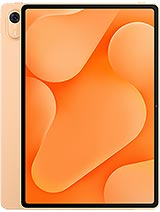
MatePad Air Z
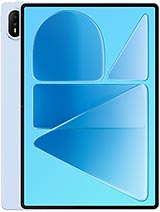
MatePad Air (2026)
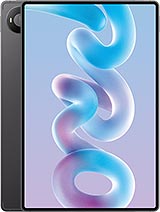
MatePad Pro 12 (2026)
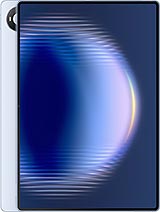
MatePad Pro Max
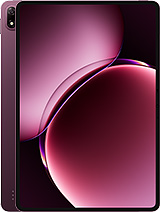
Pad 9 Pro Max