Blackview Link 1 Kids review
The Link 1 Kids makes sense for parents who want parental controls baked into the OS, Wi-Fi only, and a rugged device for young children without worrying about hardware specs. If you are looking for a fast, sharp tablet that will last five years, or a device that older kids will actually enjoy using, look elsewhere.
This review is written with AI assistance from Blackview’s published specifications and public benchmark data for the Blackview Link 1 Kids, and the rating is spec-based. GoSolo does not physically test devices; where we estimate real-world behaviour such as battery life or charge time, we say so. How we rate phones.
Overview
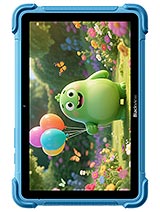
The Blackview Link 1 Kids is a Wi-Fi-only 8.68-inch tablet aimed squarely at children, with a rugged build, parental controls via DokeOS_P, and a 5000 mAh battery that should last a full day of casual use. It's affordable and practical for the job it's meant to do, but the display and CPU are strictly entry-level, so don't expect speed or visual clarity beyond what a young user needs.
Design & Build
At 476 grams and 15 mm thick, the Link 1 Kids sits between a large tablet and something you'd hand a child without fear of dropping it. The weight is noticeable but not excessive; a five-year-old would struggle to hold it one-handed, but an eight-year-old up should manage for short stretches. The frame design and finish suggest it is meant to survive falls, though the spec sheet does not detail drop-testing claims. The Mohs 5 screen protection is scratchy but fragile; proper corner bumpers (if included) matter more than the glass itself. Colors come in Dreamy Purple and Ocean Blue—nothing that looks childish in a patronizing way, which is fair for a tool parents will ultimately use to manage screen time.
Display
The 8.68-inch IPS LCD runs at 800 x 1340 pixels, which works out to about 180 ppi. For a kids' tablet, that is functional but not generous. Text in books and educational apps will be readable, and video playback for cartoons or YouTube is serviceable, but the softness is real: icons blur slightly, fine details in games lose definition. The 360 nits of brightness is adequate indoors but will struggle in direct sunlight. It is the kind of screen that does not offend in the moment—a child will be fine using it—but side-by-side with a modern iPad or Samsung Tab, the difference is obvious. The 5:3 aspect ratio is also narrower than most tablets, which can make some apps and videos feel cramped or require letterboxing.
Performance
The Rockchip RK3562 pairing quad Cortex-A53 cores at 2.0 GHz with an ARM G52 GPU. This is entry-level silicon designed for budget tablets and set-top boxes. App launch times will be sluggish, and switching between multiple apps will feel slow. Heavy games or apps demanding real-time processing will choke. For the intended use case—educational apps, light gaming, video watching, reading—it is functional but not brisk. A four-year-old will not notice lag; a twelve-year-old who has used faster tablets will. The 4GB of RAM compounds the problem: Android 16 alone will consume a significant portion, leaving little for background processes. If a child installs a handful of large games, memory pressure will mount fast.
Software
The device runs Android 16 with DokeOS_P 5.0, which is the parental-control skin Blackview uses on kids' products. That overlay is the main draw here. Rather than relying on Google Family Link or generic Android parental controls, DokeOS_P offers built-in app allowlisting, screen-time limits, and content filtering without requiring a separate account. For parents already invested in the Blackview ecosystem or wary of cloud-based solutions, that is genuinely useful. The trade-off is lock-in: if you switch tablets later, you lose those controls and must rebuild them in a new system. Android 16 is current, so security patches should arrive on schedule, but Blackview's track record on timely updates is spotty. Expect the device to be supported for perhaps two years before critical patches slow.
Camera
The 8 MP main camera and 5 MP selfie are not high-res, but kids do not need them to be. Image quality will be soft and lack detail, but sufficient for casual snaps or video calls with grandparents over Wi-Fi. The 1080p video at 30 fps is the practical limit; don't expect stabilization or autofocus wizardry. For a child using this tablet to record a school project or a parent wanting to video-call, it is fit for purpose. Comparing these cameras to a flagship phone or iPad is pointless; they exist to be good enough, not good.
Battery & Charging
The 5000 mAh cell should provide roughly 8 to 10 hours of mixed use, which aligns with a school day or a weekend session. Standby time should extend this comfortably. The spec sheet lists 10W charging, which is slow by modern standards but typical for budget tablets; a full charge from dead will take 45 minutes to an hour. There is no mention of fast charging, wireless charging, or power delivery. For a device intended to live in a home, that is fine: plug it in overnight and it is ready by morning. The slow charging also means a parent can ration usage more easily (no quick top-ups between activities).
Value & Verdict Context
The Link 1 Kids exists in a specific niche: parents who want Wi-Fi-only tablets with robust parental controls built-in, no cellular bills or location tracking, and a rugged form factor for young hands. Against that brief, it is reasonable. The parental-control layer is the standout, not the hardware. If you are instead shopping for a tablet that is fast, has a sharp screen, and can grow with your child into their teens, this is not it. Similarly, if you want a general-purpose tablet for the whole family, the weak CPU and low-res screen will frustrate. The price will likely be low—entry-level kids' tablets seldom exceed 100–150 USD—which matters. At that price, the lack of speed and the soft display are acceptable trade-offs; at a higher price, they would not be. This is a tool for a specific job, and it does that job without fuss.
Verdict
The Link 1 Kids makes sense for parents who want parental controls baked into the OS, Wi-Fi only, and a rugged device for young children without worrying about hardware specs. If you are looking for a fast, sharp tablet that will last five years, or a device that older kids will actually enjoy using, look elsewhere.
- Large 8.68-inch screen is comfortable for kids without being unwieldy, with a 360-nit IPS panel clear enough indoors
- Dedicated microSDXC slot means expandable storage without sacrificing the main drive, useful for games and videos
- DokeOS_P 5.0 overlay delivers genuine parental controls and app restrictions, not just generic Android settings
- 5000 mAh battery should handle a full school day or a weekend of tablet time without a charge
- 180 ppi pixel density at this screen size is noticeably soft; text and icons lack crispness compared to modern tablets
- Rockchip RK3562 with Cortex-A53 cores is slow for anything beyond light apps and video playback; app loading and multitasking will lag
- Only 4GB of RAM and 64GB storage is tight for Android 16; heavy users or families with many apps will hit limits quickly
Blackview Link 1 Kids Key Specifications
The essentials at a glance. See the full spec sheet.
| Released | 2026, January |
|---|---|
| Display | 8.68 inches, 213.9 cm2 (~59.8% screen-to-body ratio), IPS LCD, 360 nits |
| Resolution | 800 x 1340 pixels, 5:3 ratio (~180 ppi density) |
| Chipset | Rockchip RK3562 |
| RAM & storage | 64GB 4GB RAM |
| Main camera | 8 MP, f/2.2, (wide) |
| Selfie camera | 5 MP, f/2.2, (wide) |
| Battery | 5000 mAh |
| Software | Android 16, DokeOS_P 5.0 |
| Dimensions | 231.7 x 154.5 x 15 mm (9.12 x 6.08 x 0.59 in) |
| Weight | 476 g (1.05 lb) |
| Network | No cellular connectivity |
| NFC | No |
| USB | USB Type-C, OTG |
Blackview Link 1 Kids FAQ
Common questions, answered from the spec sheet.
Does the Link 1 Kids support 5G?
No. The Link 1 Kids tops out at No cellular connectivity, without 5G.
What chipset does the Link 1 Kids use?
The Link 1 Kids runs on the Rockchip RK3562.
What display does the Link 1 Kids have?
A 8.68 inches, 213.9 cm2 (~59.8% screen-to-body ratio) IPS LCD, 360 nits, 800 x 1340 pixels, 5:3 ratio (~180 ppi density).
How big is the Link 1 Kids battery?
The Link 1 Kids has a 5000 mAh battery.
Does the Link 1 Kids have NFC?
No, the Link 1 Kids does not list NFC support.
Does the Link 1 Kids support a microSD card?
Yes, the Link 1 Kids supports expandable storage (microSDXC (dedicated slot)).
Alternatives to consider
If the Link 1 Kids isn’t quite right, these are the closest calls.
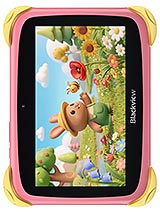
Link Mini Kids
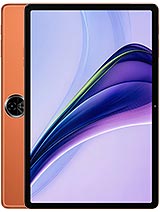
Zeno 5
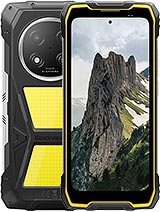
Rock 2 Pro
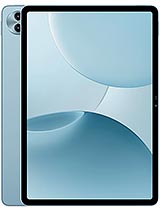
Mega 5
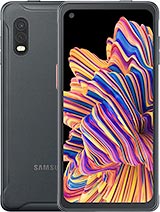
Galaxy XCover 7 Pro